Home
Your daily snapshot — today's conversations, what needs attention, and how much your AI agent is handling.
Home is your landing page after signing in — a quick pulse-check on today's activity, what still needs a human, and how your setup is coming along.
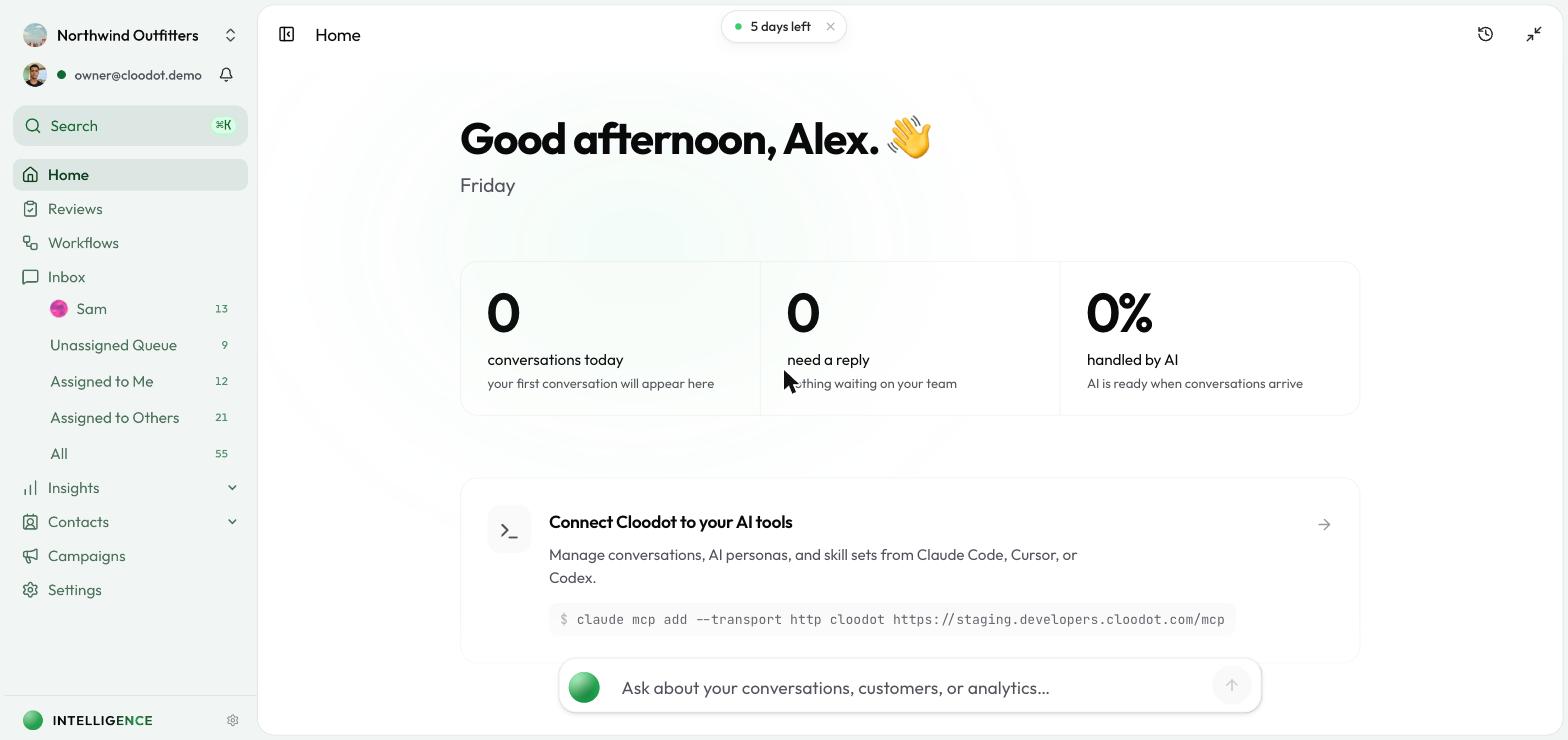
Today's pulse
Three cards at the top summarize the day so far.
Conversations today
Today's conversation count next to your 7-day daily average. A quick way to tell whether today is busier or quieter than usual.
Conversations that need a reply
Conversations still waiting on a reply, with the age of the oldest one (for example, "oldest: 2h 30m"). If the count is climbing, jump into the inbox. When everything is handled, you'll see a you're caught up indicator.
Handled by AI
The share of today's conversations your AI agent resolved on its own — shown as a percentage and a count (for example, "12 of 45 conversations"). Tells you how much your AI agent is offloading from the team.
Get set up checklist
New workspaces see a Get set up checklist covering the essentials — connecting a channel, setting up your AI agent, inviting your team, adding knowledge, creating a skillset, sending your first campaign, and handling a conversation. A progress bar tracks completed steps, and the section disappears once every step is done.
Talk to the founders
Have a question? The Talk to the founders prompt opens a scheduling link to book time with the Cloodot team.
Install the Cloodot app
On supported devices, a prompt offers a faster, more native experience:
- Install — Adds Cloodot to your home screen or app drawer
- On iOS — Follow the inline hint to add Cloodot to your home screen from Safari (tap Share, then Add to Home Screen)
Dismiss the card any time.
More on the home page
- Connect Cloodot to your AI tools — Link Cloodot to MCP-compatible AI tools.
- Tips — A swipeable deck of tips for getting more out of Cloodot.
Related topics
- Inbox — Jump into conversations that need attention
- Insights Overview — Dive deeper into analytics
- Intelligence Overview — Tune what your AI agent handles automatically
- Channels Overview — Connect more channels from the Get Started checklist