Marketing Insights
Monitor campaign performance, button engagement, and customer interactions.
See how your campaigns are landing — engagement, button clicks, and the conversations they spark.
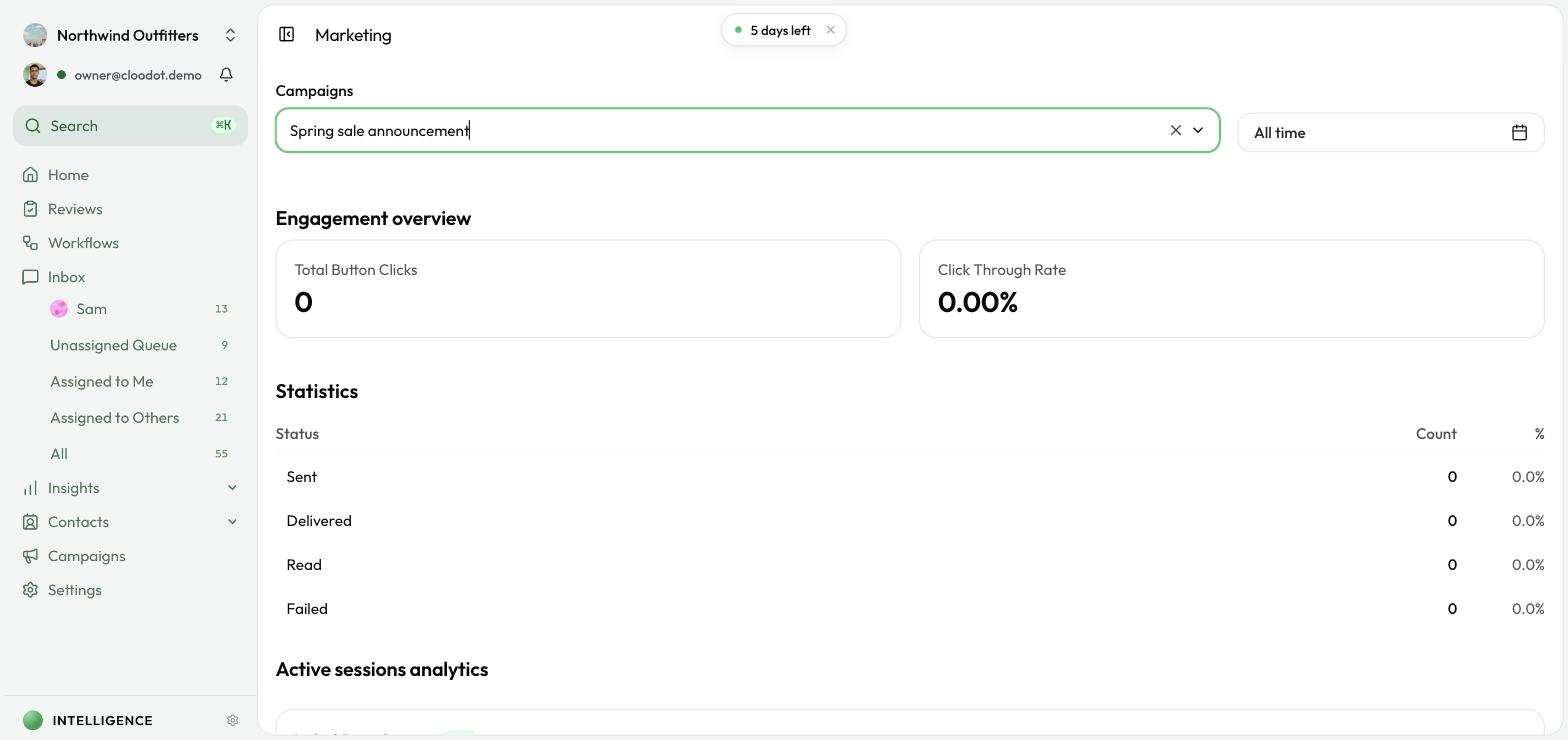
Metrics at a glance
- Campaign performance — engagement for each campaign
- Button clicks — the CTAs customers actually tap
- Customer interactions — conversations driven by campaigns
- Comparison — single-campaign deep-dive or multi-campaign roll-up
Open Marketing Insights
- Click Insights in the left sidebar.
- Click Marketing.
Select campaigns
- Use the Campaigns search box at the top.
- Type to filter by name or status.
- Pick one or more campaigns from the dropdown. Each shows its current status:
- Draft — not yet started
- Scheduled — set to start in the future
- Pending — waiting to start
- Active — currently running
- Paused — temporarily stopped
- Completed — finished
- Cancelled — cancelled
Single vs. multiple
- Single campaign — detailed engagement metrics and a per-button breakdown
- Multiple campaigns — aggregated analytics for comparison
Single Campaign Features
Button click statistics and detailed campaign stats are only available when a single campaign is selected.
Engagement overview
Select a single campaign to see these metrics.
Total button clicks
Total taps across every button in the campaign. Active campaigns refresh every 5 seconds.
Click-through rate (CTR)
Share of recipients who clicked a button, calculated as (Total Clicks ÷ Total Recipients) × 100.
A high CTR points to strong messaging and relevant buttons; a low CTR usually means the message or the CTAs need work.
Campaign stats
- Delivery — sent, delivered, read, failed
- Engagement — click rate (clicks ÷ recipients)
- Trends — metrics over time
- Contact analytics — how individual contacts interact
Active campaigns auto-refresh every 5 seconds; completed campaigns show their final numbers.
Active sessions analytics
Conversation data from people who actually engaged with the campaign.
Label distribution
A bar chart of how campaign conversations are categorized, with each label's share as a percentage. Range is fixed to All time for the selected campaigns.
Sentiment distribution
A bar chart of customer sentiment — positive, neutral, negative — across campaign conversations. Use it to see whether your campaigns are generating positive engagement, what those customers tend to ask about, and how satisfaction trends.
Button click breakdown
Select a single campaign to see per-button performance. The table lists:
- Button text
- Clicks — total taps per button
- Percentage — share of total clicks
Use it to spot which CTAs resonate, A/B test variants across campaigns, and rewrite the buttons that aren't pulling their weight.
Best practices
Campaign analysis
- Check performance regularly, not just at launch.
- Select multiple campaigns to compare like-for-like.
- Watch trends over weeks, not just single sends.
Button optimization
- Use clear, action-oriented button text.
- Test variants to find what actually works.
- Track which buttons get the most clicks.
Engagement improvement
- Study high-CTR campaigns to learn what's working.
- For low engagement, review messaging, timing, and targeting.
- Use sentiment data to refine future campaigns.
Troubleshooting
No campaigns in the dropdown
- Confirm at least one campaign exists (drafts are included).
- Refresh the page.
- Check that you have campaign permissions.
No button click data
- Confirm the campaign has buttons configured.
- Make sure the campaign has been sent to recipients.
- Give recipients time to interact — campaigns must be active or completed for data to appear.
Missing engagement metrics
Detailed metrics require a single selected campaign. Then check:
- The campaign is active or completed.
- The campaign has actually been sent.
- The time range — data may take a moment to appear.
Stats not updating
- Refresh the page.
- Check your internet connection.
- Confirm the campaign is still active — updates fire every 5 seconds.
Related topics
- Conversation Insights — Conversation analytics
- Campaigns — Creating and managing campaigns
- Channels Overview — Channel connections