Ad Insights
Track messages from click-to-message ads across WhatsApp, Instagram, and Facebook.
See which click-to-message ads are driving customer messages across WhatsApp, Instagram, and Facebook, and double down on what's working.
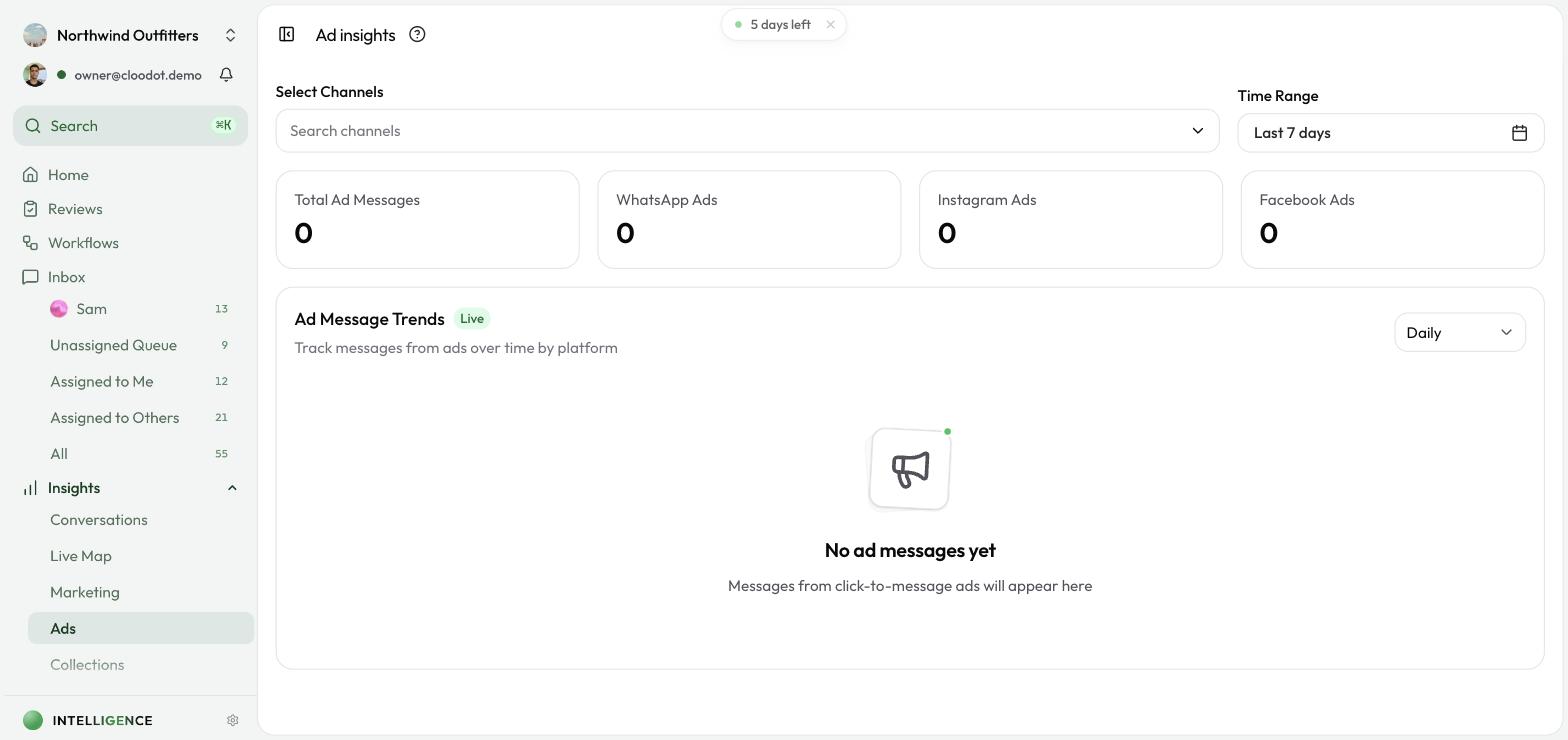
Metrics at a glance
- Ad message volume — total messages originating from ads
- Channel breakdown — WhatsApp vs. Instagram vs. Facebook
- Source types — which ad formats generate engagement
- Top headlines — the copy that drives the most messages
- Trends — ad message volume over time
Open Ad Insights
- Click Insights in the left sidebar.
- Click Ads.
How tracking works
When someone taps a click-to-message ad (for example, a "Send WhatsApp Message" button on a Facebook or Instagram ad), the incoming message carries referral data from the ad platform. Cloodot reads that data and attributes the conversation automatically.
Supported ad formats:
- WhatsApp — click-to-WhatsApp ads from Facebook and Instagram
- Instagram — click-to-Instagram DM ads
- Facebook — click-to-Messenger ads
Filters
Time range
- Last 7 days (default)
- Today
- Yesterday
- This month
- This year
- All time
- Custom range — pick start and end dates
Channel filter
Open the Channel Filter dropdown and pick one or more channels. Leave it empty to include all channels.
Granularity
Group trend data by:
- Daily (default)
- Weekly
- Monthly
Summary cards
Four stat cards at the top of the page:
- Total Ad Messages — every message from ads in the selected period
- WhatsApp Ads — messages from WhatsApp click-to-message ads
- Instagram Ads — messages from Instagram click-to-message ads
- Facebook Ads — messages from Facebook click-to-message ads
Ad message trends
The trend chart plots ad message volume over time. Switch between daily, weekly, and monthly with the granularity selector.
- A Live badge marks data that refreshes automatically.
- Hover any point to see the exact count for that period.
Ad source types
The source type table breaks messages down by the ad format that drove them. Typical entries:
- CLICK_TO_WHATSAPP_AD — a WhatsApp button on a Facebook or Instagram ad
- POST — an organic post with referral tracking
- Other platform-specific source types
Top ad headlines
The headlines table ranks the top 20 ad headlines by message count. Use it to:
- Spot the copy that drives the most engagement
- Shift budget toward winning headlines
- Compare A/B variants side by side
Best practices
Monitor regularly
- Check ad performance after launching new campaigns.
- Compare weekly trends to catch growth or decline early.
- Use the channel breakdown to see where your audience actually is.
Optimize ads
- Back the winners — move budget toward headlines with the most messages.
- Test new copy — try variations of your strongest headlines.
- Channel focus — if one channel clearly outperforms, shift spend there.
Combine with Conversation Insights
- Conversation Insights show what happens after the ad message — sentiment, resolution, agent performance.
- Use both together to track whether ad-driven messages turn into real conversations.
Troubleshooting
No data showing
- Confirm you have click-to-message ads running right now.
- Check that WhatsApp, Instagram, and Facebook channels are connected.
- Make sure ads are configured as click-to-message (not click-to-website).
- Expand the time range to All time to rule out a narrow window.
A channel shows zero even though ads are running
- Confirm the channel is connected in Cloodot.
- Verify the ad targets the right WhatsApp number or Instagram/Facebook page.
- Check that the ad platform is sending referral data in the ad configuration.
Counts seem low
Ad Insights only counts messages that arrive with referral metadata from the ad platform. Some platforms don't attach that metadata in every case. Also confirm the time range matches when your ads were actually live.
Related topics
- Conversation Insights — Overall conversation analytics
- Campaigns — Campaign performance
- Channels Overview — Channel connections