FAQ Insights
Track how well your FAQs are answering customer questions and see where you have coverage gaps.
Track how your FAQ library is doing — answer rate, new unanswered questions, and how the knowledge base is growing.
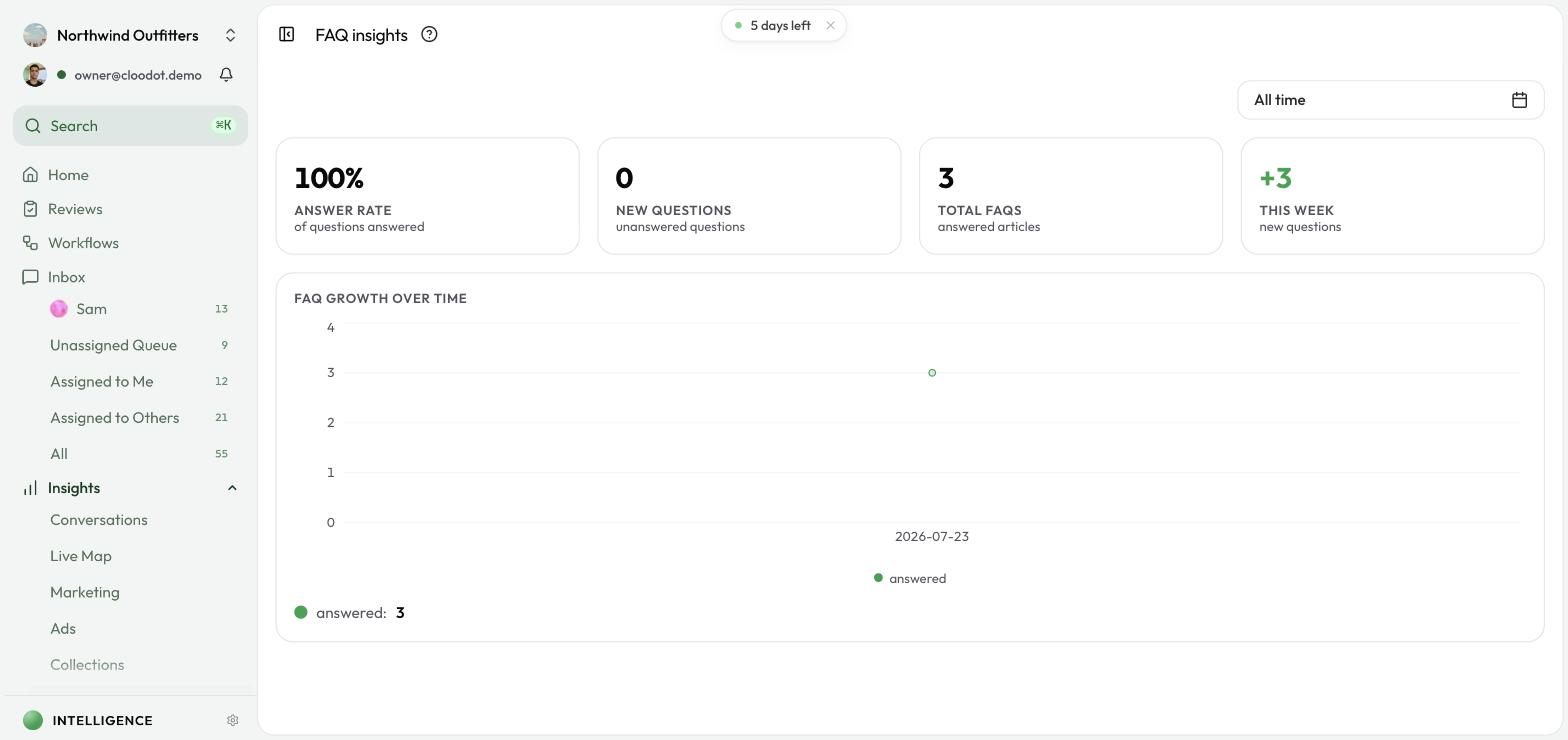
Open FAQ Insights
- Click Insights in the left sidebar.
- Select FAQ.
Time range
Use the dropdown in the top-right to set the period you want to analyze:
- Last 7 days
- Today
- Yesterday
- This month
- This year
- All time
- Custom — Pick any start and end date
Stats and the chart below refresh instantly when you change the range.
Key metrics
Answer Rate
The share of incoming questions that already have an answer in your FAQ. A high number means your knowledge base is doing its job; a dip points to coverage gaps.
New Questions
Customer questions that don't yet have an answer. These are the top candidates for new FAQ entries — each one you answer can deflect future conversations.
Total FAQs
The number of answered FAQ articles currently in your library.
This Week
How many new questions arrived in the past week. Watch this over time to catch shifts early.
FAQ Growth
A line chart of how the answered FAQ library has grown across the selected range. Use it to check whether your knowledge base is keeping pace with new questions.
Putting FAQ Insights to work
- Work the backlog. Open FAQ Management, find unanswered questions, and start with the most frequent.
- Watch the answer rate. A steady rate above 80% is healthy. A dip usually means customers are asking about something new.
- Track growth against new questions. If new questions outpace growth, the library needs attention.
- Compare time ranges. For example, compare This Month to last month to see whether coverage is improving.
Related topics
- FAQ Management — add and edit answered FAQs
- Knowledge Base — the wider source of truth for the AI agent
- Insights Overview — explore other analytics
- Collection Insights — see how much of your catalog the AI agent uses